Foundation Sampler
A simple sampler plugin built step-by-step in our tutorial series, designed to give you a solid foundation in audio plugin development.
- Built alongside a step-by-step video series
- Modern JUCE plugin setup using CMake
- Load and map your own samples to keys
- Core controls including decay and reverb
- Waveform display and visual feedback
- Designed as a foundation you can extend and customise
- Compatible with macOS and Windows in AU and VST3 formats
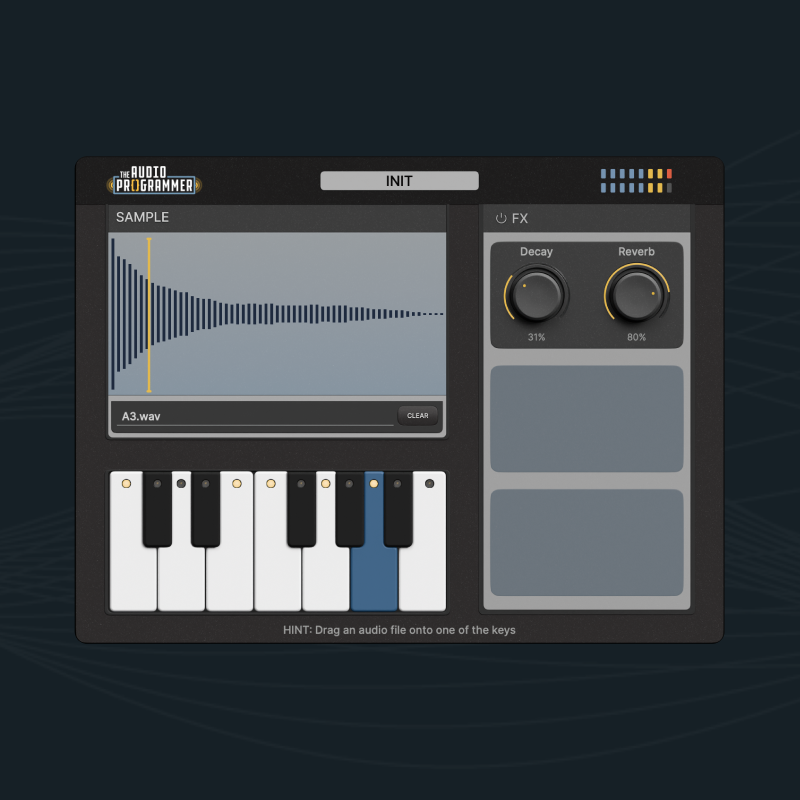
Learn How It’s Built
The Foundation Sampler is the finished example project from our free tutorial series, designed to give you a clear, practical introduction to building audio plugins.
In this series, we focus on the core building blocks – setting up a modern JUCE project, structuring your code, and implementing sample playback step-by-step. By starting simple, you can focus on understanding how everything fits together before extending the plugin with your own ideas.
The download and source code are provided as a working reference, so you can explore the plugin alongside the videos, test your understanding, and experiment with your own changes.
Watch the Series
Follow along as we build the Foundation Sampler step-by-step, from project setup through to a working instrument.

Part 1: Intro
Let's build this professional audio sampler plugin together with C++ and JUCE! This is perfect for intermediate developers ready to build real products, not just follow tutorials. Part 1 introduces the sampler's features, architecture, and project set up.
Part 2: Loading and Playing Samples
Learn how to add sample playback to your JUCE plugin using the Synthesiser, SamplerVoice and SamplerSound classes. We go from silent gray rectangle to actually playing sounds.
Part 3: Parameters Done Right
Learn how to add parameters to your JUCE sampler plugin and pick up the optimization tricks that make them feel polished and professional.
Part 4: JUCE UI Basics
Learn how to build a custom JUCE plugin interface using images, fonts, colours, and reusable UI assets.
Part 5: JUCE PNG Strips
Let's build real custom knobs from an image filmstrip and a JUCE LookAndFeel, then wire them to the Decay and Reverb controls.
More videos coming soon!
System Requirements
- macOS 10.13 or later with native Apple Silicon support
- Windows 10 or later
- AU and VST3 formats